

Why are you still tethering your global dreams to a desktop PC that reboots every time your neighborhood gets a thunderstorm? It's a recipe for disaster. If you want to dominate the airwaves in 2026, you need to stop thinking about your local studio and start thinking about the cloud. True 24/7 radio station automation isn't about leaving a computer on in your bedroom. It's about server-side power that NEVER sleeps, NEVER crashes, and doesn't hike up your power bill. This is how the pros do it! No more worrying about electricity costs or your home router acting up.
We know the frustration. You wake up only to find your station went silent at 3 AM because your home internet flickered. It's exhausting. You want a professional sound without the massive studio overhead or the technical headache of complex software. We've got you. Discover how to build a professional, never-fail radio station using server-side automation and Auto DJ technology. This guide breaks down exactly how to achieve 100% uptime for your global audience. We'll show you how to master playlist scheduling and maintain professional sound quality without breaking the bank.
Key Takeaways
- Leverage the power of Auto DJ. Discover how to keep your station running perfectly without ever touching a manual crossfader.
- Compare the heavyweights. We break down Centova Cast versus MediaCP to find your perfect automation fit.
- Slash your overhead. Discover how 24/7 radio station automation removes the need for expensive hardware and high electricity bills.
- Go global in the living room. Find out how to put your station on Roku, Fire TV, and smart speakers.
- Professional sound made easy. Master playlist scheduling and high-fidelity streaming with our simple setup guide.
What is 24/7 Radio Station Automation and Why Do You Need It?
Think of Broadcast automation as the invisible engine of your station. It's the technology that lets your stream pump out music, station IDs, and scheduled shows without you being glued to the desk. You shouldn't be a slave to the fader! In 2026, listeners expect a "never-fail" experience. If they tune in and hear dead air, they're gone. 24/7 radio station automation ensures your brand stays alive while you sleep, work, or live your life. It's about professional reliability. It's about building a global following that knows you're always on. No excuses. No silence.
Why do you need it? Because your audience is global. When it's midnight for you, it's prime time in London or Tokyo. You can't be awake 24 hours a day. Automation bridges that gap. It also slashes your overhead. Running a dedicated broadcast PC 24/7 eats electricity and wears out hardware fast. Moving your playout to the cloud is the smarter, leaner way to operate. It keeps your costs predictable and your uptime at 100%. That's how you scale a station in the digital age.
The Problem with DIY Desktop Automation
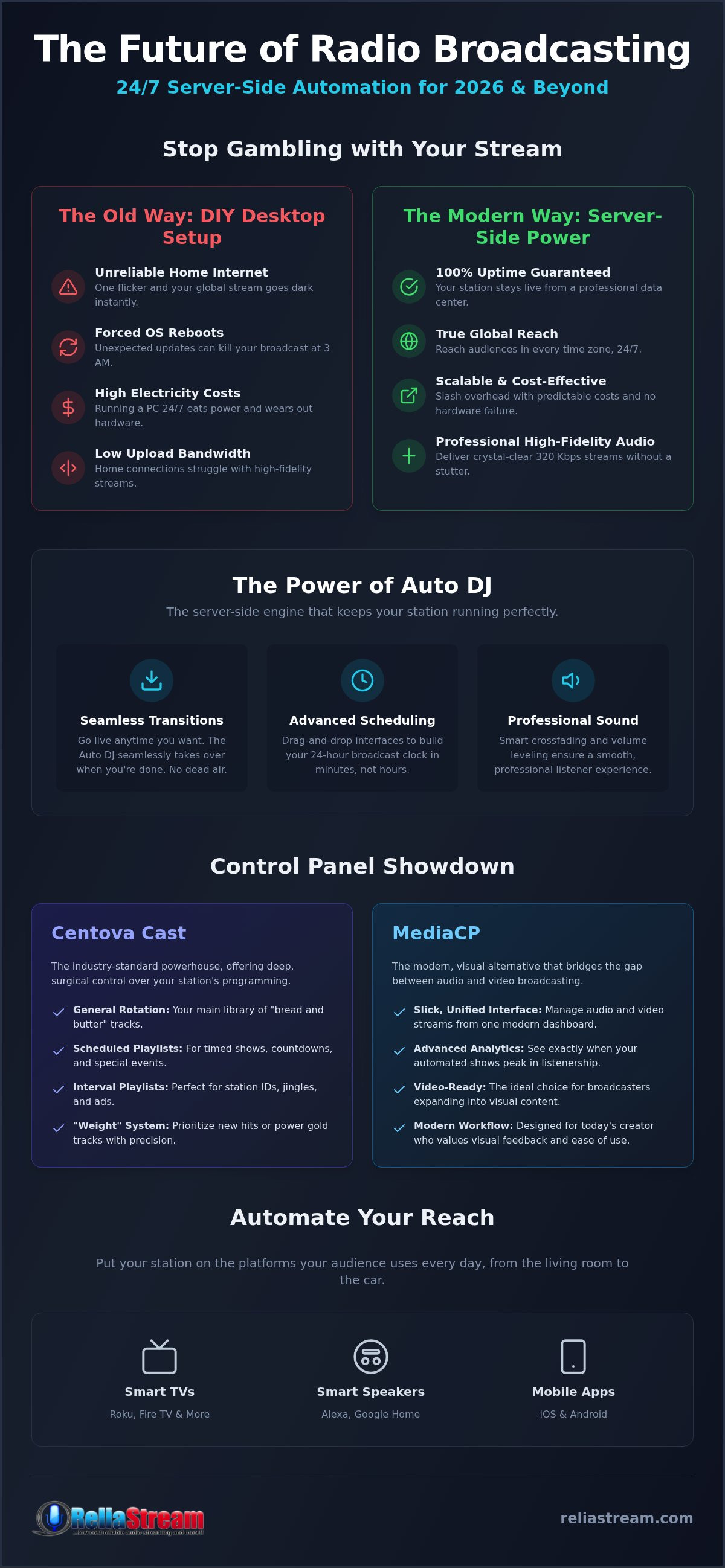
Are you still running your station off a laptop in your spare room? That's a massive gamble. Home internet is notoriously flaky. One flicker and your global stream goes dark instantly. Windows updates are another silent killer. Nothing ruins a broadcast like an unprompted 2 AM reboot. Plus, home connections often lack the upload bandwidth needed for high-fidelity, 320 Kbps audio. Your listeners deserve better than a stuttering stream. Professional 24/7 radio station automation moves the risk away from your living room and into a hardened data center where uptime is the law.
The Rise of Server-Side Playout
The game changed with Auto DJ. This isn't just a software program on your computer. It lives on the server. You upload your media, set your rotations, and let the server do the heavy lifting. It's pure freedom. You can still go live whenever you want, but the transition back to the automated stream is seamless. No dead air. No technical "oops" moments. The server handles the encoder and the scheduler in one place. It's the modern backbone for any independent creator who wants to sound like a major network without the massive studio budget.
The Mechanics of Auto DJ: Centova Cast and MediaCP
The heart of a professional station isn't a mixer or a microphone. It's the control panel. If you want true 24/7 radio station automation, you need a system that lives on the server, not your desktop. This is where Auto DJ takes over. It's the digital brains that keep the music flowing when you're away from the studio. We're moving into The Next Phase of broadcasting, where cloud-based reliability is the only standard that matters. Forget clunky local software. It's time to embrace the power of server-side management.
Building a 24-hour broadcast clock used to take hours of manual labor. Now? It takes minutes. With drag-and-drop scheduling, you can map out your entire day with precision. Professional sound quality is guaranteed through smart transitions. Built-in crossfading and volume leveling ensure your listeners never reach for the dial because of a sudden volume spike or awkward silence. It's about that smooth, "big station" sound without the big station budget.
Mastering the Centova Cast Playlist Engine
Centova Cast is the veteran in the room. It's the industry standard for a reason. It gives you surgical control over your output through three main playlist types. General Rotation handles your "bread and butter" tracks. Scheduled playlists let you drop in specific shows or Top 40 countdowns at exact times. Interval playlists are your secret weapon for station IDs and "legal IDs." Want to control how often a new hit plays compared to an old classic? Use the "Weight" system. Assign a higher weight to your power gold tracks, and Centova Cast handles the math for you. It's effortless.
MediaCP for Modern Broadcasters
Looking for something a bit more visual? MediaCP is the modern alternative for broadcasters who need to bridge the gap between audio and video. It offers a unified management interface that's incredibly slick. Beyond the music, it provides advanced analytics that show you exactly when your automated shows peak in listenership. If you're torn between the two, check out our Centova Cast vs MediaCP comparison to see which fits your workflow. Whether you need deep technical control or a modern, video-ready interface, we've got you covered. Ready to get started? You can explore our hosting plans to find the perfect home for your station.
Managed Hosting vs. Standalone Software: The 2026 Comparison
Choosing between a home-grown setup and a professional host isn't just a budget choice. It's a survival choice. In 2026, the distance between hobbyist software and managed 24/7 radio station automation has become a canyon. Professional hosting providers offer 99.9% uptime guarantees that a home PC simply can't match. Managed hosting is the backbone of a serious station because it integrates the encoder, the server, and the scheduler into a single, bulletproof login. It's about working smarter, not harder. Consider these core benefits of the managed route:
- Integrated Workflow: No more juggling three different programs just to stay on air.
- Zero Local Stress: Your station runs in a hardened data center, not your spare bedroom.
- Global Reach: High-speed server backbones ensure your stream reaches every continent without a hiccup.
Scalability is another massive win for the managed approach. You can start small with a 32 Kbps plan and jump to high-fidelity 320 Kbps as your listener base explodes. No hardware upgrades required. Just a few clicks and you're sounding like a major network. Security is just as critical. Modern web browsers are ruthless about non-secure content. Without an SSL radio link, your stream will be blocked or flagged as "unsafe" by Chrome and Safari. While online broadcasters don't always face the same strict FCC regulations as terrestrial stations, the industry standard for security is non-negotiable.
Why "Free" Software Often Costs More
"Free" is a trap. When you run standalone software locally, you're paying in electricity, hardware wear-and-tear, and endless troubleshooting hours. If your station goes down because of a local connection glitch, you're losing listeners by the second. That's expensive! If you're on a tight budget, check out our guide on low bitrate radio hosting for a smarter way to start. Don't trade your time and reliability for a $0 price tag. It's a losing game in the long run.
The Managed Advantage
Server-side processing is the secret sauce. It means zero lag for your listeners regardless of your local internet speed. You get automated backups of your music library and station settings; a local hard drive crash won't end your career. Plus, you get built-in SSL support out of the box. We're Busting the myths about secure broadcasting because security shouldn't be an afterthought. It's the foundation of 24/7 radio station automation in the modern era. Stop playing radio and start being a broadcaster.
Automating Your Reach: Smart Speakers and TV Apps
Who says radio is just for the car? Not in 2026. The living room is the new battleground for your brand! With 100 million Americans owning a smart speaker, your 24/7 radio station automation strategy has to go beyond a simple web player. You need to be where the ears are. That means moving onto the big screen and into the voice-activated home. It's about total presence. It's about being unmissable. If you're only on the web, you're leaving half your audience on the table.
Getting on Roku and Fire TV
Think the TV is only for binge-watching shows? Think again. Smart TVs are the new "FM dial" for the modern home. Listeners are increasingly using platforms like Roku, Google TV, and Amazon Fire TV to stream their favorite audio while they work, cook, or relax. It's the ultimate background companion. By launching a dedicated Roku Radio App, Google TV App, or Amazon Fire TV App, you're claiming premium real estate in the listener's lounge. Don't let the technical side scare you off. Custom app development is the fastest way to bridge the gap. You can dominate the living room with custom radio apps that put your brand front and center on the world's biggest screens.
The Alexa Advantage
Convenience is the king of retention. Why make your audience search for a clunky URL? "Alexa, play My Station Name." That's the power of an Alexa Streaming App. Voice automation removes every barrier between your content and your listener. It's proven to increase session length because it's just so easy to start. Whether it's through a custom voice skill or a smart speaker integration, your automated stream needs to be a simple voice command away. The best part? Your server-side Auto DJ handles the heavy lifting. One stream feeds every app simultaneously. No extra encoders. No extra stress. Just pure, multi-platform dominance.
Mobile dominance is the final piece of the puzzle. Your 24/7 stream must be rock-solid on the go. Whether your audience is commuting or at the gym, they need a high-fidelity experience that doesn't drop out. Because your automation lives on the server, your mobile apps get a direct, high-speed feed that isn't throttled by your local home internet connection. It's a professional, unified ecosystem. One playlist. Ten platforms. Zero downtime. That's how you build a legacy in 2026. Ready to expand your empire? You can launch your custom radio app today and start reaching listeners where they live.
Setting Up Your 24/7 Station with ReliaStream
Stop overcomplicating your setup. You don't need a massive rack of servers or a degree in audio engineering to sound like a pro. ReliaStream makes 24/7 radio station automation accessible to everyone. Whether you're starting lean with a 32 Kbps Hosting Plan or aiming for audiophile perfection with a 320 Kbps Hosting Plan, the process is streamlined for speed. It's about getting you on the air fast. No fluff. No technical roadblocks. Just pure broadcasting power. Your journey from a folder of MP3s to a global broadcast starts right here.
First, hit the built-in file manager. This is your digital warehouse. Upload your library, organize your tracks, and prepare your station IDs. Once your media is in the cloud, you design your first 24-hour automated rotation. It's like building a custom clock. You decide when the hits play, when the jingles drop, and when your pre-recorded shows take the stage. It's your station, your rules, and our servers ensure it stays that way. This is the "no-nonsense" approach to building a legacy.
Step-by-Step Playout Configuration
First, you'll choose your server type. Will it be ShoutCast or IceCast? Both are industry titans, but your choice depends on your specific app and player needs. Next, upload your MP3s and get your Auto DJ metadata right. Metadata is what tells your listeners what's playing on their screens. It's essential for a professional look. Before you blast your link to the world, test your stream on different devices. Check the quality on your phone, your laptop, and your smart speakers. Once it's perfect, activate your SSL Radio Link. You're now secure, professional, and ready for a global audience.
Growing Your Station
Don't just set it and forget it. Use your built-in analytics to see what's actually working. Are listeners dropping off during certain hours? Change the rotation. Is your audience demanding better sound? Upgrade your bitrate instantly from 64 Kbps to 128 Kbps or higher. We make it easy to scale as you grow. Check out our professional hosting starting at $1.99 to see how affordable a world-class setup can be. Stop waiting for "someday" and launch your station today. The airwaves are waiting for you!
Take Control of Your Airwaves Today
The era of the "spare room" radio station is over. If you want to be a serious player in 2026, you need to ditch unreliable desktop setups and embrace the cloud. We've shown you how 24/7 radio station automation turns a hobby into a professional broadcasting empire. By leveraging server-side Auto DJ technology and expanding your reach to Roku, Alexa, and Fire TV, you're not just playing music. You're building a brand that's always on, always secure, and always ready for a global audience.
ReliaStream has been the backbone for broadcasters since 2008. We offer tiered plans ranging from 32 Kbps to 320 Kbps, alongside custom app development for Roku and Alexa. You get the reliability of a veteran partner with the innovation of a modern tech leader. Stop worrying about reboots and internet flickers. It's time to go pro and stay pro.
Start your 24/7 station for just $1.99 with ReliaStream
The technology is here. The audience is waiting. Stop dreaming about your station and start broadcasting it!
Frequently Asked Questions
Do I need my computer on to run a 24/7 radio station?
No, you don't need to keep your personal computer running to maintain your broadcast. Modern 24/7 radio station automation lives entirely on the server. Once you upload your music and schedule your playlists through a control panel like Centova Cast, the server handles the playout. This means your station stays online even if your laptop is closed or your house loses power. It's the most reliable way to ensure 100% uptime for a global audience.
What is the difference between Auto DJ and live broadcasting?
Auto DJ is a server-side tool that plays your uploaded media automatically based on your schedule. It acts as a digital pilot that never sleeps. Live broadcasting requires you to connect your local studio software to the server in real-time. While live sets allow for direct listener interaction, Auto DJ provides the consistent backbone that keeps your station active when you aren't behind the microphone. Most professional broadcasters use a mix of both.
Can I switch from automated playout to a live DJ set easily?
Switching between automated playout and a live broadcast is incredibly simple. When you start your live encoder from your home studio, the server automatically fades out the Auto DJ and lets your live stream take over. Once you disconnect your live feed, the automation kicks back in exactly where it left off. This ensures there's never a second of dead air, providing a professional experience that keeps your listeners engaged and tuned in.
How much music do I need to fill a 24/7 schedule?
You should aim for enough music to prevent your rotation from sounding repetitive to your audience. While you can technically start with just a few hours of audio, a professional 24/7 radio station automation schedule usually requires at least 300 to 500 tracks to keep things fresh. You can also use station IDs and pre-recorded shows to break up the music. Remember that variety is the key to maintaining high listener retention across different time zones.
Do I need a special license for 24/7 radio automation?
ReliaStream provides the technical hosting and automation tools, but we don't provide music royalty licensing. Broadcasters are responsible for obtaining the necessary legal permissions to stream copyrighted music in their specific region. You should research organizations like SoundExchange, ASCAP, or BMI depending on where you and your audience are located. Always ensure you're compliant with local regulations to keep your station running without any legal interruptions or unexpected fines.
What happens if my internet goes out while the station is automated?
Your station remains completely unaffected if your local internet connection drops out during an automated segment. Since the Auto DJ and your media files are hosted on a professional server, the broadcast continues to reach your global audience without a hitch. This is the primary advantage of server-side hosting over DIY desktop setups. You can sleep soundly knowing your stream is safe in a hardened data center regardless of your home connection.
Which control panel is better for beginners: Centova Cast or MediaCP?
Centova Cast is often preferred by those who want a tried-and-true, industrial-strength interface with deep playlist weighting options. It's the veteran choice for a reason. MediaCP is a fantastic alternative for beginners who prefer a modern, visual layout and need to manage video alongside their audio. Both platforms offer excellent automation features. Your choice really comes down to whether you prefer a classic, data-driven workflow or a more contemporary, streamlined user experience.
Can I automate commercials and station IDs?
You can absolutely automate commercials and station IDs using interval playlists. These tools allow you to inject specific files into your stream after a set number of songs or minutes. This is how professional stations handle legal IDs and sponsorship spots without manual intervention. It's a set it and forget it solution that ensures your station sounds like a major network broadcast while you focus on creating new content for your listeners.


