

Roku officially hit 100 million global streaming households this year. That’s 100 million living rooms where your station is currently silent. 100 million missed opportunities. Are your listener numbers stagnating on web-only players? It’s time to move. We know the fear. The thought of roku radio app development usually brings up nightmares of complex BrightScript code and grueling certification audits. You want to grow, but you don't want to become a full-time programmer just to stay relevant.
You shouldn’t have to master SceneGraph 1.3 just to reach your audience. This guide shows you exactly how to bypass the technical headaches and launch a professional, branded radio station on the Roku Channel Store. You will learn how to integrate your existing ShoutCast or IceCast streams seamlessly while meeting the latest Roku OS 15.3 requirements. We are diving into everything from SSL-secured streams to the mandatory memory monitor APIs. With professional hosting starting at just $1.99, the barrier to entry has never been lower. Let’s get your brand on the big screen and turn those living rooms into your new front line for listener engagement.
Key Takeaways
- Claim your spot in the living room. Tap into 100 million global streaming households where listeners are shifting away from web-only players.
- Conquer the code barrier. Learn how modern roku radio app development solutions eliminate the need to master complex languages like BrightScript.
- Elevate your audio quality. Discover how to integrate high-fidelity 320 Kbps streams and dynamic "Now Playing" metadata for a premium listener experience.
- Streamline your path to the store. Follow a proven roadmap to navigate the 2026 Roku certification process without the typical technical anxiety.
- Launch for less. Find out how professional, branded station deployment pairs with elite hosting starting at just $1.99.
Why Roku Radio App Development is the Ultimate Reach Multiplier
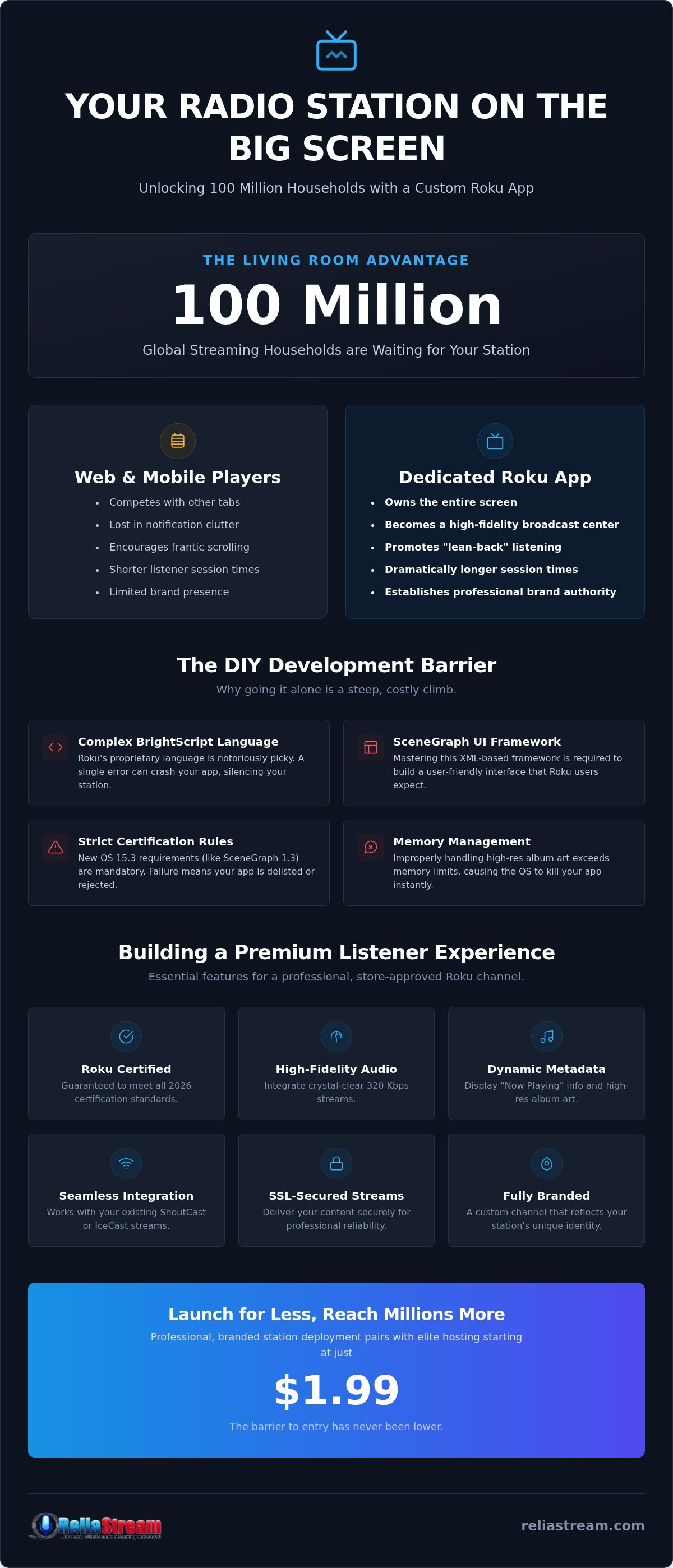
A Roku radio app isn't just a fancy shortcut for your listeners. It is a dedicated, branded channel that beams your station directly into the primary entertainment hub of the home. Think about it. While web players compete for attention on crowded desktops and mobile apps fight through notification clutter, a Roku app owns the entire screen. It turns the TV into a high-fidelity broadcast center. It moves your station from a background tab to a foreground experience.
The "Living Room" advantage is massive. In 2026, the TV has reclaimed its title as the hearth of the home. Smart speakers are fine for quick updates, but nothing beats the immersive sound of a home theater system for dedicated listening. By investing in roku radio app development, you aren't just adding a platform. You're claiming a seat at the table where families gather. You are gaining access to an audience that is ready to listen, not just browse.
The Shift in Listener Behavior
Home entertainment systems are the new kitchen radios. People don't just "check" a station on Roku; they experience it. This is "lean-back" listening. It is the opposite of the frantic mobile scrolling that kills engagement. When a listener launches your app on Roku OS, they stay longer. Average session times on CTV platforms consistently outperform mobile because the friction of switching content is higher. Being an official app in the store gives you a level of permanence a bookmark simply cannot match. It signals that you are a professional broadcaster, not just another hobbyist with a link.
Roku vs. Mobile: Why You Need Both
Don't ditch mobile, but don't ignore the 100 million households Roku reached as of April 2026. Mobile is for the commute. Roku is for the life lived at home. The visual advantage here is superlative. Instead of a tiny thumbnail on a phone, you have a 65-inch canvas for high-resolution album art and dynamic metadata. It creates an atmosphere. It builds brand authority that makes competitors look small and outdated.
You might already have radio hosting starting at $1.99, but without a TV presence, you're invisible to a huge segment of the market. Roku radio app development bridges that gap. It takes your existing stream and gives it a global stage. Why settle for a fraction of the audience when you can dominate the most important room in the house? It is about scale. It is about professional reliability. It is about being where the listeners already are.
Navigating BrightScript and SceneGraph: The Barriers to Entry
Thinking about tackling roku radio app development on your own? Prepare for a steep climb. Roku doesn't use standard web languages like HTML5 or JavaScript for its core logic. Instead, you have to master BrightScript. It is a proprietary, powerful, and notoriously picky scripting language. If your code isn't perfect, your app won't just lag; it will crash. For a broadcaster, a crash is a silent station. Silence is the enemy. Do you really want to spend your nights debugging syntax instead of planning your next show?
Understanding the Technical Stack
BrightScript is the engine under the hood. It manages your audio buffer and ensures your stream stays rock solid even when bandwidth fluctuates. But the engine needs a dashboard. That is where SceneGraph comes in. This XML-based framework handles every visual element your listeners see. It is responsible for that "human-comfortable" navigation that Roku users expect. In 2026, the stakes are higher than ever. Roku OS 15.3 requires developers to declare support for SceneGraph 1.3 by October 1, 2026. If you miss these updates, your app disappears from the store.
Texture memory management is the biggest trap for radio apps. You want beautiful, high-resolution album art on that big 4K screen. However, if your code doesn't manage those images correctly, the app will exceed its memory limit and get killed by the OS. New certification rules now mandate the use of roAppMemoryMonitor functions to pass testing. It’s technical. It’s tedious. It’s a lot to handle while trying to run a business.
The Cost of "Doing it Yourself"
Time is your most valuable asset. Learning a new programming language from scratch takes months. That is time stolen from your content, your marketing, and your listeners. Buggy, amateur code leads to stream drops and rejected submissions. Every time the Roku Store rejects your channel, you lose weeks in the review cycle. Why gamble with your brand's reputation? Professional development is the "can-do" shortcut to success. It moves you from the "waiting" phase to the "broadcasting" phase instantly.
We believe broadcasters should focus on the mic, not the manifest file. Our "we code, you broadcast" approach eliminates the technical wall entirely. We handle the BrightScript logic, the SceneGraph layouts, and the strict memory requirements. If you are ready to skip the coding headaches, you can launch your Roku Radio App with a team that already knows the ropes. Don't let a programming language stand between you and 100 million households. Reach for the professional solution and get it right the first time.
Essential Features for a Professional Roku Radio Channel
You have decided to move into the living room. Now, don't show up with a mediocre product. A professional presence requires more than just a working stream. It demands a high-fidelity experience that justifies the big screen. We are talking about crystal clear audio and visuals that pop. This is where roku radio app development shifts from a technical task to a branding masterpiece. It is about creating an environment that listeners never want to leave.
First, let's talk about sound. If you are broadcasting at low bitrates, your listeners will notice on their home theater systems. We support tiered plans up to 320 Kbps to ensure your station sounds as good as a premium streaming service. Pair that crisp audio with dynamic metadata. Your app should display "Now Playing" information and high-resolution album art in real-time. It turns a static TV into an active, engaging piece of media. It gives your station a face.
Security isn't an option; it's a requirement. You must use ssl radio streaming to pass the Roku Store certification. Without an HTTPS link, your app is dead on arrival. We provide the SSL-secured links necessary to keep your station compliant and your listeners safe. Finally, don't forget background play. Your listeners want to browse the Roku menu while your music keeps playing. If the audio stops when they hit "Home," they'll find a station that doesn't quit. Background play is the hallmark of a professional build.
Integration with Your Hosting Panel
Your app is only as strong as the backbone supporting it. Whether you are caught in the centova cast vs mediacp debate, your Roku channel must pull streams seamlessly from your hosting panel. It should feel like a single, unified system. This integration allows for 24/7 broadcasting via Auto DJ. Even when your live DJs are asleep, your Roku channel stays active. It ensures that 100 million households always have something to hear when they click your icon. Consistency builds loyalty.
Branding and User Experience
The first thing a user sees is your splash screen. It needs to be bold. It needs to scream your station’s identity. We build custom backgrounds that match your station ID perfectly. But beauty is nothing without brains. The navigation must be intuitive. TV remotes are simple tools, so your app needs "One-Click" play functionality. Don't make them hunt for the "Listen" button. Add an "About Us" section and social media links to turn a passive listener into a loyal follower. This is how you dominate the living room in 2026. You provide a complete, branded world for your audience to inhabit.
The Roadmap to Roku Store Certification in 2026
You have the stream. You have the branding. Now you face the gatekeeper. The Roku Channel Store isn't a free-for-all; it is a curated ecosystem that demands excellence. Roku radio app development culminates in the certification process, a rigorous gauntlet designed to protect the user experience. If your app is slow, cluttered, or buggy, it won't just get a low rating. It will be rejected. You need a clear map to navigate these requirements before you even think about hitting the submit button.
The journey starts with the Roku Developer Program. Enrollment is free, but the dashboard is where the real work begins. You must adhere to strict performance guidelines, including the mandatory use of roAppMemoryMonitor functions. By October 1, 2026, every app must also support SceneGraph 1.3 and deep-linking for all live streams. This isn't optional. It is the baseline for entry. Once you submit, your app faces automated testing followed by a manual review that can take up to four business days. It is a high-stakes waiting game.
Why Certification is the Hardest Part
Why do so many stations fail at the finish line? Stream lag and UI clutter are the usual suspects. If your audio takes more than a few seconds to buffer, Roku will flag it. If your interface is a mess of overlapping text or broken images, you’re out. You also have to account for hardware fragmentation. Your app might run smoothly on a brand-new Roku Ultra but crash on an older Roku Express. We test across multiple generations of hardware to ensure stability for every listener. This attention to detail is how we guarantee a smoother path to approval. We know exactly what the reviewers are looking for because we’ve been through the process hundreds of times.
Post-Launch: Keeping Your App Updated
The work doesn't stop once you are in the store. Roku OS 15.3 is the current standard, but firmware updates happen frequently. An update that improves system security might break an unmaintained app. You need to stay proactive. Use the Roku developer dashboard to analyze listener data and identify where people are dropping off. Are they listening for hours or closing the app after one song? This data is gold. It tells you how to scale your content as your station grows. If you want to skip the stress of compliance and technical audits, you can start your professional Roku Radio App project today and let us handle the roadmap for you.
Deploy Your Custom Roku App with ReliaStream
Stop overthinking the technical wall. You have a station to run. You have listeners to inspire. Why waste another second wrestling with manifest files and API compliance? ReliaStream offers the ultimate "no-headache" solution for broadcasters ready to scale. We take the complexity of roku radio app development and turn it into a streamlined, professional launch. We don't just hand you a piece of software. We provide the elite hosting backbone and the technical expertise to keep you on the air 24/7. It's about moving fast and staying reliable.
A Partnership, Not Just a Service
We aren't a faceless app factory. We are veterans who have been in the streaming trenches since 2008. That is 18 years of solving the gritty problems that make other developers quit. When you work with us, you get direct support from people who understand your specific niche. Running a church broadcast? A high-energy sports talk show? A community music station? We customize your app to fit your brand identity perfectly. We don't believe in cookie-cutter solutions because your station isn't cookie-cutter. Stagnation is the silent killer of modern media. If you aren't expanding your reach, you're shrinking. We act as your proactive mentor, pushing you toward modern trends and ensuring your station remains a dominant force across all devices.
Ready to Go Global?
The living room is just the beginning. While we specialize in radio streaming app development for Roku, we don't stop there. We can help you expand your footprint to Amazon Fire TV, Google TV, and even custom Alexa Skills. Your brand deserves to be everywhere your audience lives. Our low bitrate radio hosting plans provide the rock-solid foundation you need to grow without breaking the bank. With professional hosting starting at just $1.99, there is no excuse to stay small. Roku radio app development is the key to unlocking millions of new ears, and we have the master key ready for you.
Claim your space in the living room today. Don't let the competition own the big screen while you're still stuck on a web player. It's time to modernize. It's time to expand. It's time to broadcast with the authority of a 100 million-household platform behind you. Let’s build something incredible together. Your listeners are waiting. Are you ready to answer?
Your Audience is Waiting in the Living Room
The era of being hidden behind a web browser is over. You've seen the data. 100 million households are ready to listen. We have covered why roku radio app development is your ticket to the big stage and how you can bypass the technical nightmares of BrightScript and SceneGraph. You don't need to be a coder to dominate the home entertainment hub. You just need the right partner to handle the certification gauntlet and the high-fidelity integration.
Since 2008, we've been the backbone for broadcasters who refuse to stay small. We build custom apps for Roku, Fire TV, and Alexa that reflect your unique brand. With professional hosting plans starting at just $1.99/mo, the barrier to entry has vanished. Stop dreaming about growth and start broadcasting where it counts. Get Your Radio Station on Roku Today with ReliaStream. It's time to make your station a household name. Let's get to work.
Frequently Asked Questions
How much does it cost to develop a Roku radio app?
Custom development costs vary based on features and complexity. While high-end custom coding can be expensive elsewhere, we focus on providing an accessible, professional path for broadcasters. We don't invent arbitrary fees; instead, we prioritize a "done-for-you" service that fits your station's needs. Remember that your underlying hosting remains incredibly affordable, with professional plans starting at just $1.99. This allows you to focus your budget on growth and content.
Do I need to know how to code in BrightScript to have a Roku channel?
You don't need to learn a single line of code. While roku radio app development traditionally requires mastery of BrightScript and SceneGraph 1.3, we handle the entire technical stack for you. We ensure your app meets the October 2026 deadline for mandatory memory monitor APIs and deep-linking requirements. You provide the brand and the stream; we provide the engineering. It is the fastest way to get your station onto the big screen.
Will my ShoutCast or IceCast stream work on Roku?
Absolutely. Your existing ShoutCast or IceCast streams are perfectly compatible with the Roku platform. Whether you use Centova Cast or MediaCP, we can pull your audio directly into the custom app interface. The key is ensuring your stream is stable and high-quality. We support tiered bitrate plans up to 320 Kbps so your listeners get the crisp, professional sound they expect from a modern home entertainment system.
How long does the Roku Store certification process take?
The manual review process typically takes between 2 to 4 business days. Once the Roku team approves your channel, it can take another 1 to 2 days for it to propagate and appear globally in the Channel Store. We aim for a "first-time" approval by strictly adhering to the latest UI and performance guidelines. This prevents the common rejection cycles that can delay your launch by weeks or even months.
Can I monetize my radio station on Roku with ads?
You can certainly monetize your station. Roku supports various models, including the Roku Advertising Framework (RAF) for video and audio ads. With ad-supported content on the rise, 2026 is the perfect time to leverage FAST app trends. You can also use your app to drive traffic to your website or promote your own sponsors. It turns your station from a cost center into a high-reach revenue generator in the living room.
Is an SSL-secured stream link required for Roku apps?
Yes, an SSL-secured stream is a non-negotiable requirement for certification. Roku policies mandate HTTPS links to ensure data security and stream integrity. If you are currently using an unencrypted link, your app will fail the submission process immediately. We provide an SSL Radio Link to bridge this gap, ensuring your station meets all modern security standards. It is a small but critical step for a professional, store-ready presence.
Can ReliaStream build apps for Fire TV and Google TV as well?
We specialize in multi-platform expansion. While roku radio app development is a massive priority, we also build custom apps for Amazon Fire TV, Google TV, and Alexa. Fire TV alone holds a 35% market share, so ignoring it means leaving millions of listeners behind. We ensure your brand looks and sounds consistent across every device. It is about being everywhere your audience lives, from the kitchen smart speaker to the living room TV.
What happens if my stream bitrate changes after the app is launched?
Your app is designed to be flexible. If you decide to upgrade from a 64 Kbps plan to a 320 Kbps plan for better sound quality, your app will handle the change smoothly. We build our apps to pull the stream dynamically from your hosting panel. This means you can scale your audio quality as your station grows without needing to resubmit the app to the store. It is a future-proof solution for serious broadcasters.


